
Blocking is built in.
Ads and trackers are blocked before they load. Supported video ads are skipped automatically. Less waiting between you and what you came to watch.
Your videos. Your queue. Right where you left off. Browse with fewer interruptions, save something for later, and pick up at your last playback position.
Version 2 is in development. Ads and trackers are blocked by default; supported video ads are skipped automatically.
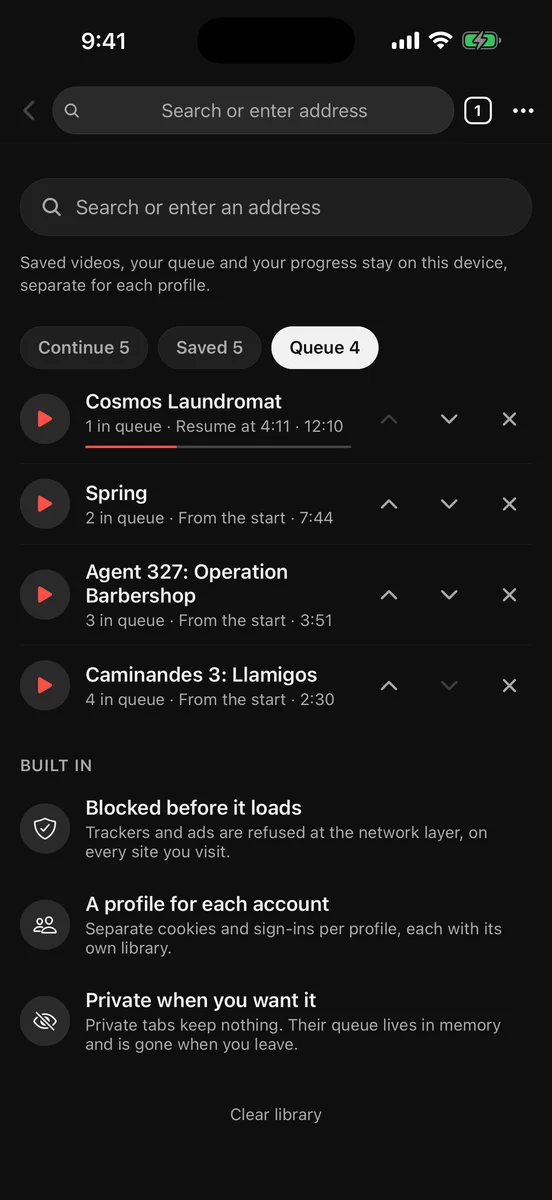
Save a video, queue the next one, and come back to the exact spot you left. Your library keeps links and metadata, rather than downloading videos.
Browsing and playback run in separate WebViews. Opening another page doesn’t tear down your player.
Ads and trackers are blocked before they load. Supported video ads are skipped automatically. Less waiting between you and what you came to watch.
Each profile has its own website sign-ins and personal library. Keep different accounts and queues apart.
Private mode keeps its queue in memory and saves no history. Leave the session, and that temporary queue goes with it.
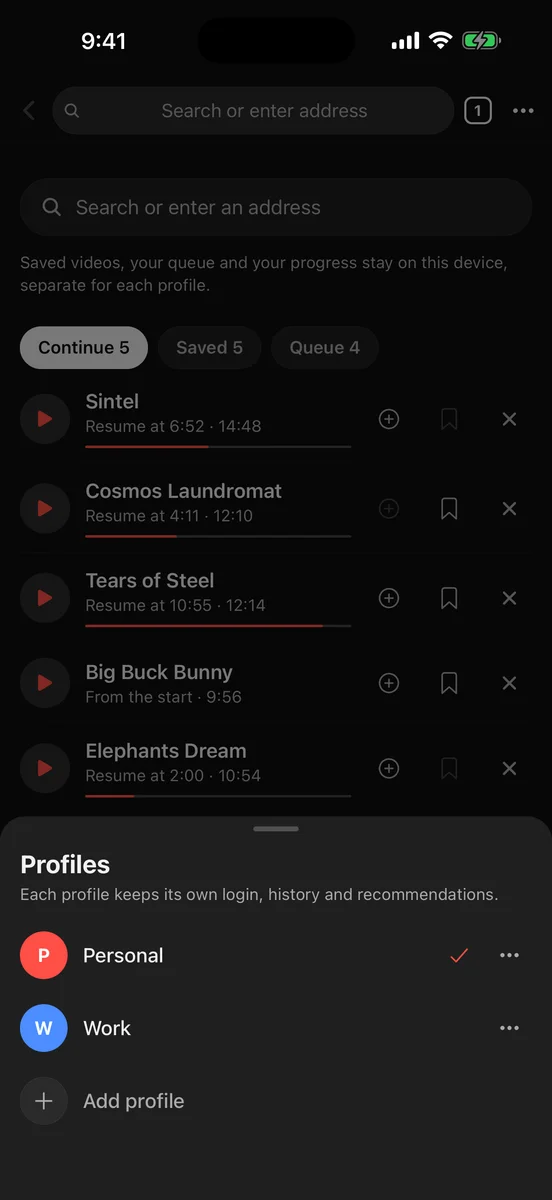
A queue for one account doesn’t have to become a queue for every account. Profiles keep your library and sign-ins together, so switching feels like opening your own space.
Read the privacy policySkipper blocks ads and trackers by default and skips supported video ads. Results depend on the website and its player; some ads are part of the video stream itself.
No. The library saves links, metadata, and playback progress. Playback still comes from the original website.
Version 2 is in development. Contact support for current availability and updates.
Its queue stays in memory and history isn’t saved. Private browsing still connects to the websites you visit.